 Home
Home Samples
 Help
Help Buy Now
 Download
 Contact Us
Create superior rollover and slick graphic buttons for your website in a few clicks!
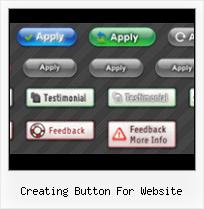
XP,Win7,Mac,iPhone-style buttonsFree Web Buttons has tons of professionally designed button templates based on latest web trends. Just select the template you like and type your text!
No drawing, No coding!
You will not need any skills in html with Free Web Buttons. All programming will be completed for you. There even will be no necessity to edit your html code to insert a completed button-menu. Just point out the place on your page, where you want the buttons to be, and then press "Insert".
WEB SITE MENU BUTTONS SAMPLE
Below you can see samples of just some of web menu button designs you can develop with Free Menu Buttons.The left column contains button screenshots (click to enlarge), the right one contains live examples.














HOW TO CREATE THE MOUSEOVER BUTTON MENU WITH CREATOR

- Click "Add item" or "Delete selected item" buttons situated on the Web Button's Toolbar to add/delete buttons. You can also use "Move selected items" buttons and move your buttons inside the menu.
- Use ready to use Templates to create your buttons. To do it just select the template you like in the "Templates" tab.Then you can browse these template backgrounds. When you find a button template you like, double-click it to apply.
- Adjust appearance of your buttons.
- 3.1. Define the button's orientation.
- 3.2. Select web button by clicking it and change button's appearance for normal and mouse over states and set button's link properties and link target attributes.
- Save your buttons.
- 4.1. Save your project file. To save a project just click "Save" button on the Toolbar or select "Save" or "Save As.." in the Main menu.
- 4.2. Save your buttons in the HTML format. To do it click "Save HTML" button on the Toolbar or select "File/Save as HTML..." in the Main menu.
- 4.3. Insert your creating button for website into the existing HTML page. To do so, click "Page insert" button on the website buttons Toolbar. "Build the Menu Into Your Page" dialog will appear.Website Button Maker Org Animated Web Button

Choose a page you want to insert your buttons into. Then set the cursor to the line you want theButtons For Web Site Order Buttonscode to be added to and click the "Insert Menu" button. The button's code will be inserted into the page. Then you can either save the page or close the dialog without saving.
FREE WEB BUTTON CONTACT

FEEDBACK
Thank you for creating free buttons program it is one of the best.
Great web design software, simple and efficient. Thank you.
Nice program. Is there a way to make dropdown sub-menu items?
SEE ALSO
Chapter 5, "Contribution Payment: Donation Buttons Create the HTML code by using a tool on the PayPal website. Code for a Donation Button" and the reference information in Appendix A, "HTML Variables for Website Payments
Create a Button for a Website in Photoshop - Tutorial - Video http://www.tasktutorial.com In this tutorial we will learn how to create a button for a website or banner in photoshop.. Watch Video about Adobe Photoshop,Adobe,
Easy Button & Menu Maker - create Web buttons and menus With Easy Button & Menu Maker you can easily create sophisticated buttons and professional dynamic menus for your website
DotNetPanel Documentation - User Guide - Managing Web Sites For example, if you create a virtual directory called "images" from a open Web Site Properties page, select Virtual Dirs tab and click Create Directory button. Add Virtual
Buttons in Flash CS3 A useful feature in Flash CS3 is the button symbol. A button symbol allows you to specify how the button (clickable area) should look initially, and
Create website buttons downloads including: Amara Flash Menu create website buttons. Create stylish buttons for your web projects Free Web Buttons - Create free buttons for your website & projects with our free
Creating Buttons - eHow.com You don't need to have expensive graphic programs and experience in creating computer graphics to make an attractive button for your website, however.
Single-Item Payments - Buy Now Buttons - PayPal You can create Buy Now buttons that you add to your website by using a tool on the PayPal website, or you can write the HTML code for Buy Now buttons manually.
How to Create Free Buttons for a Website | eHow.com Buttons and menus for a website are mandatory. With this tool, your viewers can see other pages within your site and move back to the previous page.
Creating Paypal Buttons How to create PayPal Buttons using FrontPage and PayPal's web site: the "Create Button Now" option. You'll be brought to a page that has HTML code for your product button as
Paul Trani New Lynda.com Course: Create a Website in Flash CS5 of creating and importing content, adding smooth 2D and 3D transitions, and adding button functionality that
Create a Free Website | Free Web Design at Wix.com Create a free website with Wix free web design templates. Customize free flash templates and make your Flash website
Creating a website button for POIs You can publish a POI set by creating an 'Add to TomTom' button. To add a button to your website, copy and paste the code below into your web page and
Free Buttons for Websites Use our free buttons for websites. Colorful buttons that you can use for site navigation. Copy the blank buttons and use the code provided on the page to add text.
Securing Your Website Payments Standard Buttons PayPal provides the following strategies for securing Website Payments Standard buttons. Create an encrypted button by using a button creation tool on the PayPal website.